The X-Guard Alarm Device

An all-in-one alarm button that anyone can carry anywhere.

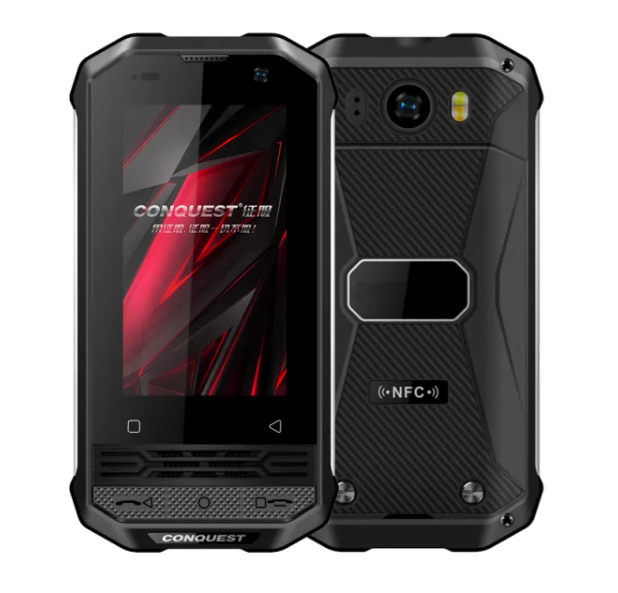
X-Guard has developed an ‘’all-in-one’’ Alarm Device featuring “man down”, with which you can send an alarm by pressing a button. In case of emergency you just have to press the button: a connection will be made immediately with the appropriate help.

The right help at the touch of a button!

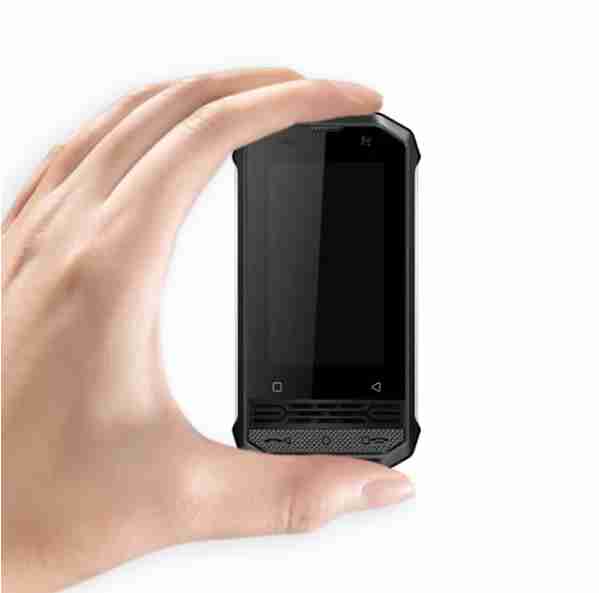
The X-Guard Alarm Device is an all-in-one alarm button: a small, userfriendly device that  can be used anywhere to send and alarm. With this you have all the features of the X-Guard Alarm-app but in one small device.

When an alarm is send, the location of the device can be accuratly determined, both in and outside. The Alarm Device is waterproof.

The right help at the touch of a button

The X-Guard Alarm Device is an all-in-one alarm button: a small, user-friendly device that can easily be used anywhere to send an alarm. This gives you all the functionalities of the X-Guard Alarm app, but in one device.

When an alarm is sent, the location of the alarm maker can be accurately determined, both indoors and outdoors. The alarm button is sturdy and waterproof.

The advantages of the X-Guard Alarm Device

  • An all-in-one Alarm device
  • The X-Guard Alarm-app is ”locked in” the device
  • Send an alarm without your own phone
  • Has all features of the X-Guard Alarm-app
  • Accurate location determination
  • Can be used both indoors and outdoors
  • Waterproof device
  • Device delivered ready to use

For whom is this Alarmbutton interesting?

The X-Guard Alarm Device is interesting for:

  • Industry
  • Part-timers
  • Contactors
  • Employees who won’t/aren’t allow to use a mobile phone while working, but still want to be protected.

Technical information

X-Guard Alarm Device will be deliverd fully functional en will be managed remotely using Knox Manage:

  • Dualsim
  • Black
  • Android 9.0
  • 2,45 inch screen
  • Dual camera 16 MP + 8 MP
  • IP68 Waterproof
  • NFC
  • USB – Type C
  • Gorilla glass
  • Extra sturdy device
  • Dimensions 96.6mm high – 45mm wide – 18.8mm thick
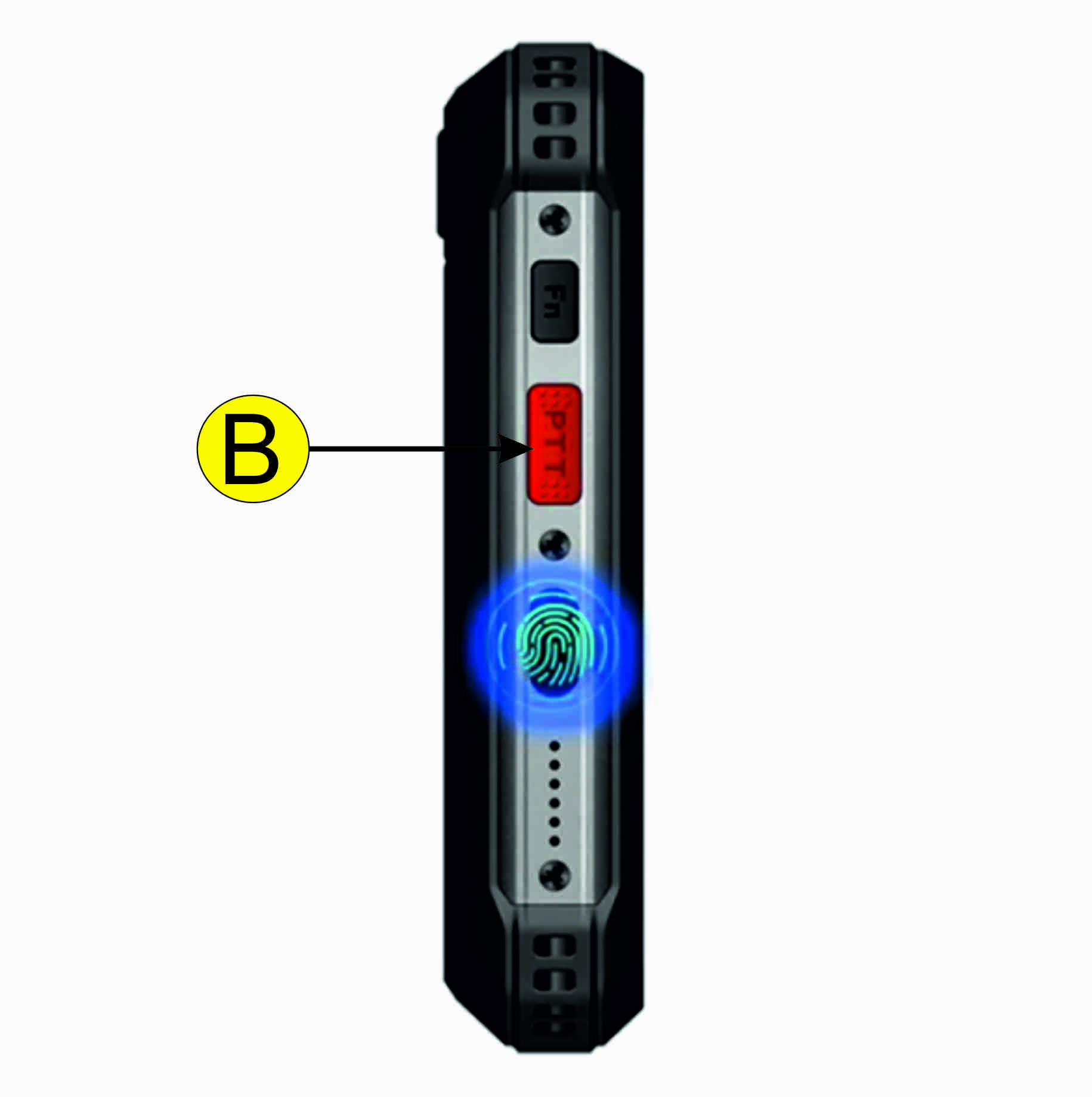
  • Red alarm button on the side of the device
  • A robust belt clip is glued to the back

You can read more about the X-Guard Alarm app by clicking the button below:
The advantages of the X-Guard Alarm Device

  • An all-in-one Alarm device
  • The X-Guard Alarm-app is locked to the device
  • Alarm without your own phone
  • Has all features of the X-Guard Alarm-app
  • Accurate locations
  • Can be used both indoors and outdoors
  • Waterproof device
  • Device deliverd ready for use

For whom is this Alarmbutton interesting?

The X-Guard Alarm Device is interesting for:

  • Industry
  • Part-timers
  • Contactors
  • Employees who won’t/aren’t allow to use a mobile phone while working, but still want to be protected.

Technical information

X-Guard Alarm Device will be deliverd fully functional en will be managed remotely using Knox Manage:

  • Dualsim
  • Black
  • Android 9.0
  • 2,45 inch screen
  • Dual camera 16 MP + 8 MP
  • IP68 Waterproof
  • NFC
  • USB – Type C
  • Gorilla glass
  • Extra sturdy device
  • Dimensions 96.6mm high – 45mm wide – 18.8mm thick
  • Red alarm button on the side of the device
  • A robust belt clip is glued to the back

You can read more about the X-Guard Alarm app by clicking the button below:
User instructions Alarm Device

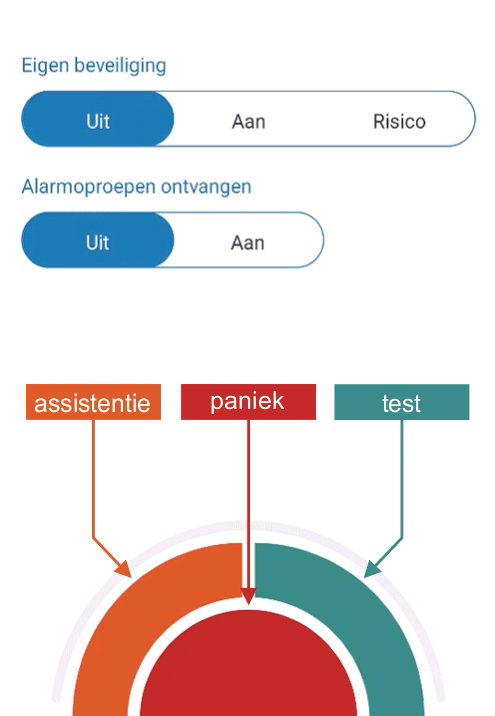
Use the Alarm Device to easily send a panic,- assistence,- and/or man-downalarm.


Sending an alarm

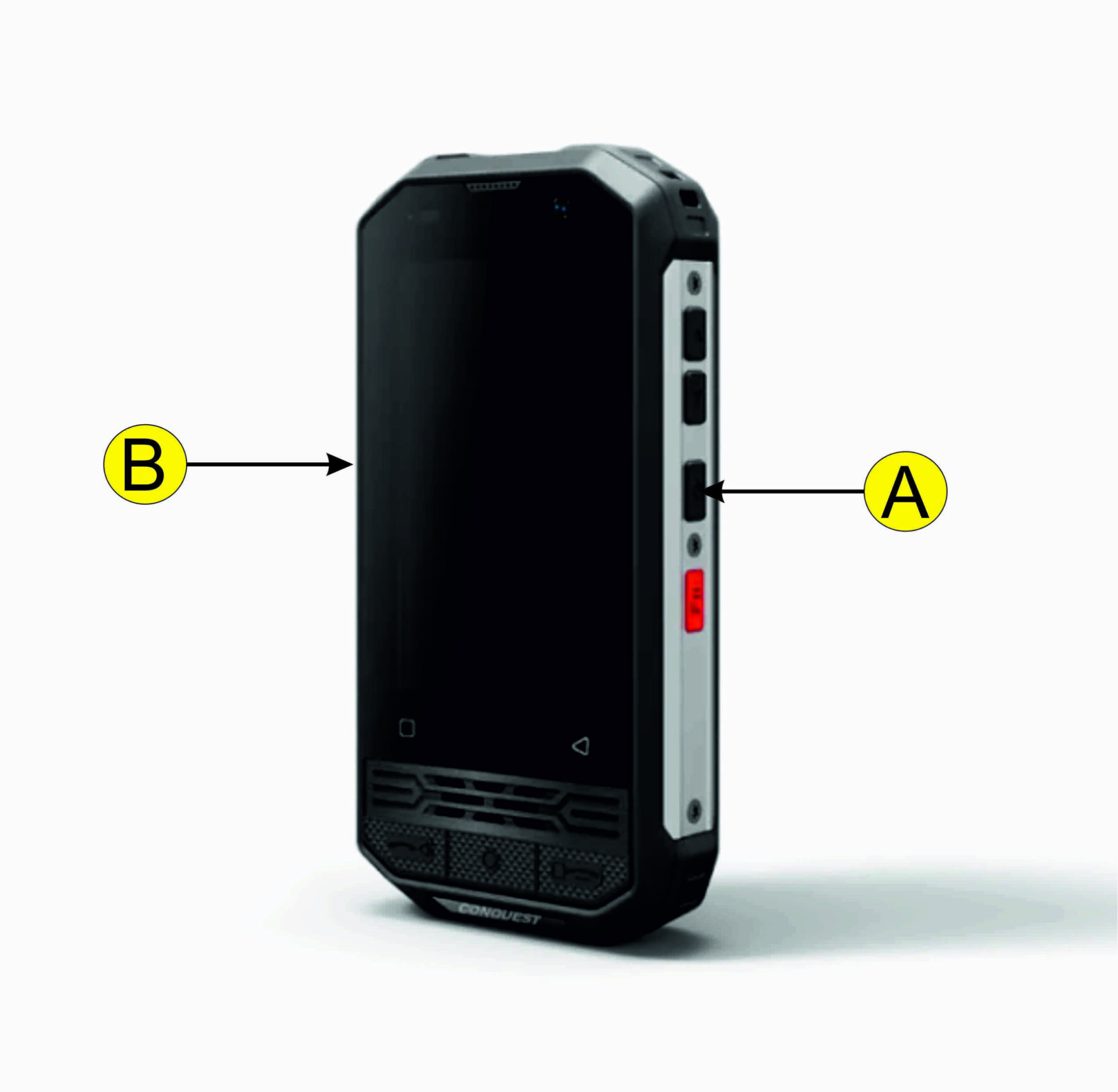
You send a panic alarm bij shortly pressing the red button one the right side. After sending the alarm the following can happen for follow-up:

  • People close by will be called upon
  • The alarmcentre will be called upon and wil after verification* dispatch police.
  • The alarmcentre dispatches mobile surveillance
  • The alarmcentre dispatches keyholders

* The operator has been able to observe from the conversation that the police may be called. In case of doubt, the operator will call back the alarm device. Click the button below for more information.

A = On- and off button

B = Alarm button

For Daily use

Take the Alarm Device from the charger, the man-down funtion is automatically activared (default). After use, connect the Alarm Device to the charger, the man-down function is automatically deactivated (default), this way the next user can optimally use the Alarm Device. The button above the red button is the power button, if you tap this, te Alarm App will come on screen.

Test if everything works

Test if the alarm button work – tap the power button (above the red button) to open the Alarm App and press the green button to make a test report. You will be called and hear an automised recording.

Op zoek naar meer informatie?